Introduction
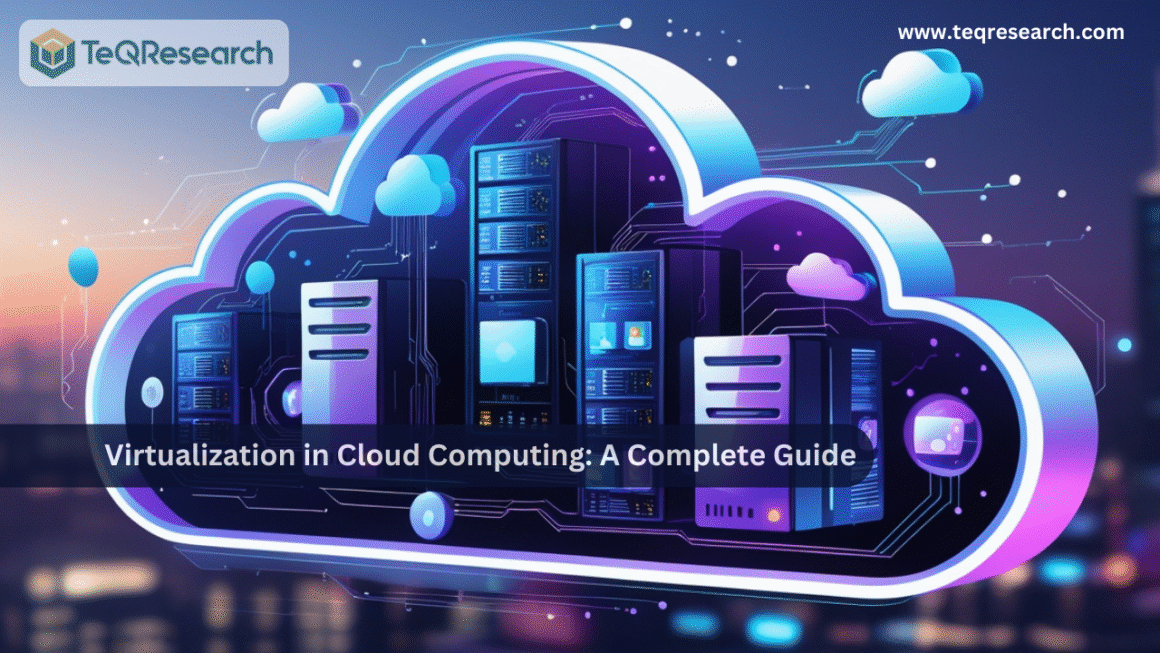
Cloud computing has transformed the way businesses and individuals access technology. Instead of investing in expensive physical servers and maintaining complex IT infrastructures, organizations now rely on the cloud for on-demand resources, scalability, and cost efficiency. At the heart of this transformation lies a powerful technology: virtualization. Virtualization is the backbone of cloud computing. It enables multiple users, applications, and operating systems to share the same physical hardware while working independently. Without virtualization, cloud computing as we know it—elastic, scalable, and cost-effective—would not exist. In this blog post, we will explore what virtualization is, how it works in cloud computing, its types, benefits, challenges, and real-world applications. By the end, you’ll have a complete understanding of why virtualization is the foundation of modern cloud services.
What is Virtualization?
Virtualization is the process of creating a virtual version of physical resources, such as servers, storage devices, networks, or even operating systems. These virtual resources function just like real hardware but are abstracted from the physical machine. For example, instead of running one operating system on a single server, virtualization allows multiple operating systems and applications to run on the same physical server simultaneously, each in its own isolated environment called a virtual machine (VM). This concept makes better use of physical resources, reduces hardware costs, and increases efficiency.
Role of Virtualization in Cloud Computing
Cloud computing is based on the principle of resource pooling and on-demand availability. Virtualization makes this possible by dividing a single physical resource into multiple logical parts.
- Cloud providers such as Amazon Web Services (AWS), Microsoft Azure, and Google Cloud Platform (GCP) rely heavily on virtualization to allocate computing resources dynamically.
- Virtualization ensures that resources like CPU, memory, and storage are efficiently used and distributed among customers.
- It enables multi-tenancy, meaning multiple users or businesses can share the same cloud infrastructure without interfering with each other.
In short: Virtualization = foundation of cloud computing efficiency and scalability.
Key Components of Virtualization
- Hypervisor
The hypervisor (also known as a Virtual Machine Monitor, VMM) is the core component of virtualization. It allows multiple virtual machines to run on a single physical machine. Types of Hypervisors:
- Type 1 (Bare-Metal Hypervisor): Runs directly on the physical hardware (e.g., VMware ESXi, Microsoft Hyper-V, Xen).
- Type 2 (Hosted Hypervisor): Runs on top of an existing operating system (e.g., Oracle VirtualBox, VMware Workstation).
- Virtual Machines (VMs)
A VM is a software-based representation of a physical computer. Each VM has its own OS, applications, and virtual resources.
- Host Machine
The physical server that provides the underlying hardware resources for VMs.
- Guest Machine
The virtual machine running on top of the host machine, with its own independent OS and applications.
- Virtual Infrastructure Management
Tools and platforms like VMware vSphere, Microsoft System Center, and OpenStack are used to manage large-scale virtualization environments.
Types of Virtualization in Cloud Computing
- Server Virtualization : Server virtualization is the process of dividing a single physical server into multiple virtual servers, each functioning independently with its own operating system and applications. This approach allows organizations to host multiple websites, applications, or services on the same hardware, thereby maximizing efficiency and reducing hardware costs. By isolating workloads, server virtualization enhances performance, security, and flexibility in resource allocation. Common technologies that enable server virtualization include VMware ESXi, Microsoft Hyper-V, and KVM, which are widely adopted in enterprise and cloud environments.
- Storage Virtualization: Storage virtualization pools storage resources from multiple devices and presents them as a unified, single storage unit. This abstraction layer simplifies storage management by allowing administrators to manage storage without worrying about the physical location of data. It also improves efficiency and flexibility by enabling seamless data migration, backup, and recovery. Businesses often use storage virtualization to optimize data management in large-scale environments. Popular examples include Dell EMC VPLEX and IBM SAN Volume Controller, both of which provide robust solutions for enterprises.
- Network Virtualization: Network virtualization involves combining physical networking resources such as routers, switches, and firewalls into a single, software-defined network. This approach allows cloud environments to support scalable, flexible, and secure networking without being restricted by physical infrastructure. It enhances performance, reduces costs, and improves security by segmenting networks into isolated virtual environments. Enterprises leverage network virtualization to manage complex workloads, enable automation, and improve resource allocation. Leading solutions in this space include Cisco ACI and VMware NSX, which are known for their scalability and advanced network management features.
- Desktop Virtualization: Desktop virtualization allows desktop operating systems to run remotely on a centralized server, enabling users to access their desktops from any device or location. This technology is especially useful for supporting remote work, secure access, and centralized management of user environments. Instead of installing software on individual machines, organizations can deliver virtual desktops to employees, ensuring consistency and security. This also reduces hardware dependency, as even low-power devices can access powerful virtual desktops. Popular platforms such as Citrix Virtual Apps and Desktops and VMware Horizon are widely used for enterprise desktop virtualization.
- Application Virtualization: Application virtualization enables applications to run in isolated environments without being installed directly on the user’s device. This reduces compatibility issues between applications and operating systems, while also simplifying deployment and updates. For businesses, application virtualization provides a secure and efficient way to distribute software, ensuring that applications perform consistently across different devices. It is commonly used in organizations that require centralized software management. Leading examples include Microsoft App-V and Citrix XenApp, both of which are widely used for enterprise-scale application delivery.
- Data Virtualization: Data virtualization abstracts data from multiple, heterogeneous sources and presents it as a single, unified view for users. Instead of moving or duplicating data, this approach allows organizations to access real-time data for business intelligence, analytics, and integration purposes. It improves decision-making by providing a comprehensive and accurate view of information without requiring complex data migrations. Data virtualization is widely used in industries that rely heavily on analytics and reporting. Prominent tools such as Denodo and IBM Cloud Pak for Data help enterprises streamline data integration and enhance business insights.
Benefits of Virtualization in Cloud Computing
- Cost Efficiency: One of the most significant benefits of virtualization in cloud computing is cost efficiency. By reducing the dependency on physical servers, organizations can cut down expenses related to hardware purchases and maintenance. Since multiple virtual machines (VMs) can run on a single physical server, businesses no longer need to invest heavily in additional infrastructure. Virtualization also lowers energy consumption, as fewer physical machines require less power and cooling. Moreover, IT teams spend less on hardware maintenance, which further drives operational savings and helps businesses achieve a better return on investment.
- Scalability: Virtualization provides unmatched scalability, making it easier for organizations to adjust resources based on changing demands. In traditional IT setups, scaling up often required purchasing and installing new physical hardware, which was time-consuming and costly. With virtualization, resources like CPU, memory, and storage can be dynamically allocated to virtual machines with just a few clicks. This ensures that businesses can quickly scale up during peak demand and scale down when resources are underutilized, optimizing performance and cost simultaneously.
- Flexibility: Another key advantage of virtualization is flexibility. A single physical server can host multiple operating systems and applications simultaneously, which allows businesses to maximize their infrastructure capabilities. This means developers can test software across different platforms without needing separate physical machines, saving both time and money. The flexibility of virtualization also empowers organizations to deploy and manage diverse workloads efficiently, supporting innovation while maintaining stable operations.
- High Availability & Disaster Recovery: Virtualization plays a vital role in ensuring high availability and disaster recovery. Since virtual machines are not tied to a specific physical server, they can be quickly replicated, backed up, or migrated to another host in the event of hardware failure. This reduces downtime significantly and ensures continuity of business operations. In disaster recovery scenarios, virtual machines can be restored much faster compared to rebuilding physical systems, which helps organizations maintain resilience against unexpected disruptions.
- Efficient Resource Utilization: With virtualization, organizations can maximize the utilization of their physical hardware by distributing workloads across multiple virtual machines. Instead of leaving servers underutilized, virtualization ensures that resources like CPU cycles, memory, and storage are effectively shared among VMs. This reduces wastage and improves the performance of IT infrastructure. By consolidating workloads onto fewer physical machines, businesses achieve higher efficiency, better performance, and reduced operational overhead.
- Improved Security: Security is another critical benefit of virtualization in cloud computing. Virtual machines are isolated from one another, meaning that issues such as malware or system crashes in one VM do not impact others running on the same host. This isolation creates a secure environment for running multiple workloads, reducing the risk of widespread vulnerabilities. Additionally, virtualization technologies often include advanced security features such as snapshots, firewalls, and intrusion detection, which strengthen the overall protection of IT systems.
- Faster Deployment: Virtualization significantly accelerates the deployment process of IT resources. Unlike traditional setups where provisioning physical servers could take days or weeks, virtual machines can be created, cloned, and deployed within minutes. This rapid deployment capability enables businesses to respond quickly to market changes, test new applications, or expand services without long delays. Faster deployment not only increases agility but also enhances productivity, helping organizations maintain a competitive edge in today’s fast-paced digital landscape.
Challenges of Virtualization
- Performance Overhead – Virtualization introduces some latency compared to physical machines.
- Security Risks – A vulnerability in the hypervisor could expose all VMs.
- Management Complexity – Large-scale virtualization requires specialized skills and tools.
- Software Licensing Issues – Some applications have restrictions when running in virtualized environments.
- Initial Costs – Although long-term costs are lower, initial investment in virtualization software can be high.
Virtualization vs. Cloud Computing
While closely related, virtualization and cloud computing are not the same:
| Aspect | Virtualization | Cloud Computing |
| Definition | Creating virtual versions of resources | Delivering computing services via the internet |
| Scope | Technology that enables resource abstraction | A service model built on top of virtualization |
| Focus | Efficiency and optimization of hardware | Scalability, accessibility, and cost-effectiveness |
| Dependency | Cloud computing depends on virtualization | Virtualization can exist without the cloud |
| Example | VMware ESXi, Microsoft Hyper-V | AWS, Azure, Google Cloud |
Real-World Applications of Virtualization in Cloud Computing
- Amazon Web Services (AWS) – Uses Xen and Nitro hypervisors for virtualization to run millions of virtual servers globally.
- Microsoft Azure – Built on Hyper-V to provide virtual machines and cloud services.
- Google Cloud Platform (GCP) – Uses KVM-based virtualization for scalability and security.
- VMware Cloud – Provides hybrid cloud solutions combining on-premise virtualization with public clouds.
- Netflix – Runs on AWS infrastructure powered by virtualization to deliver content to millions of users worldwide.
- NASA – Uses virtualization to process and store vast amounts of space research data efficiently.
Future of Virtualization in Cloud Computing
- Containerization and Kubernetes – While traditional virtualization creates VMs, containers (Docker, Kubernetes) are emerging as lightweight alternatives.
- Serverless Computing (FaaS) – Allows developers to run code without managing servers, built on top of virtualization.
- AI and Automation in Virtualization – Intelligent resource allocation using machine learning.
- Edge Virtualization – Extending cloud computing to edge devices for faster processing in IoT.
- Security Enhancements – Hypervisor-level encryption and zero-trust architectures.
Conclusion
Virtualization is the driving force behind cloud computing. It enables efficient use of resources, lowers costs, and provides flexibility for businesses of all sizes. By creating multiple virtual machines on a single server, virtualization ensures scalability, high availability, and faster deployment—key features that make cloud computing successful. While challenges like performance overhead and security risks exist, advancements in hypervisors, containerization, and automation continue to strengthen virtualization. As cloud adoption grows, virtualization will remain the cornerstone of digital transformation—powering everything from web applications to AI, IoT, and big data analytics. For businesses planning to embrace cloud computing, understanding virtualization is not just optional—it’s essential.
FAQs
What is virtualization in cloud computing?
Virtualization is the process of creating virtual versions of computing resources such as servers, storage, or networks. It allows multiple operating systems and applications to run on the same physical hardware in isolated environments called virtual machines (VMs).
Why is virtualization important for cloud computing?
Virtualization is the foundation of cloud computing because it enables resource pooling, scalability, and cost efficiency. It allows cloud providers to allocate physical resources to multiple users, ensuring better utilization and flexibility.
What are the main types of virtualization?
The main types are:
- Server Virtualization – dividing servers into multiple VMs.
- Storage Virtualization – pooling storage resources.
- Network Virtualization – creating virtual networks.
- Desktop Virtualization – running desktops remotely.
- Application Virtualization – running apps in isolated environments.
- Data Virtualization – providing a unified view of data from multiple sources.
What is the difference between virtualization and cloud computing?
- Virtualization is a technology that creates virtual resources from physical hardware.
- Cloud computing is a service model that delivers computing resources over the internet, often built on top of virtualization.
In short, cloud computing uses virtualization, but virtualization can exist without cloud computing.
What are some real-world examples of virtualization in cloud computing?
- VMware Cloud: Provides enterprise-level virtualization and hybrid cloud solutions.
- AWS (Amazon Web Services): Uses Xen and Nitro hypervisors for running virtual servers.
- Microsoft Azure: Uses Hyper-V for its virtual machine services.
- Google Cloud Platform (GCP): Uses KVM-based virtualization for scalability and security.