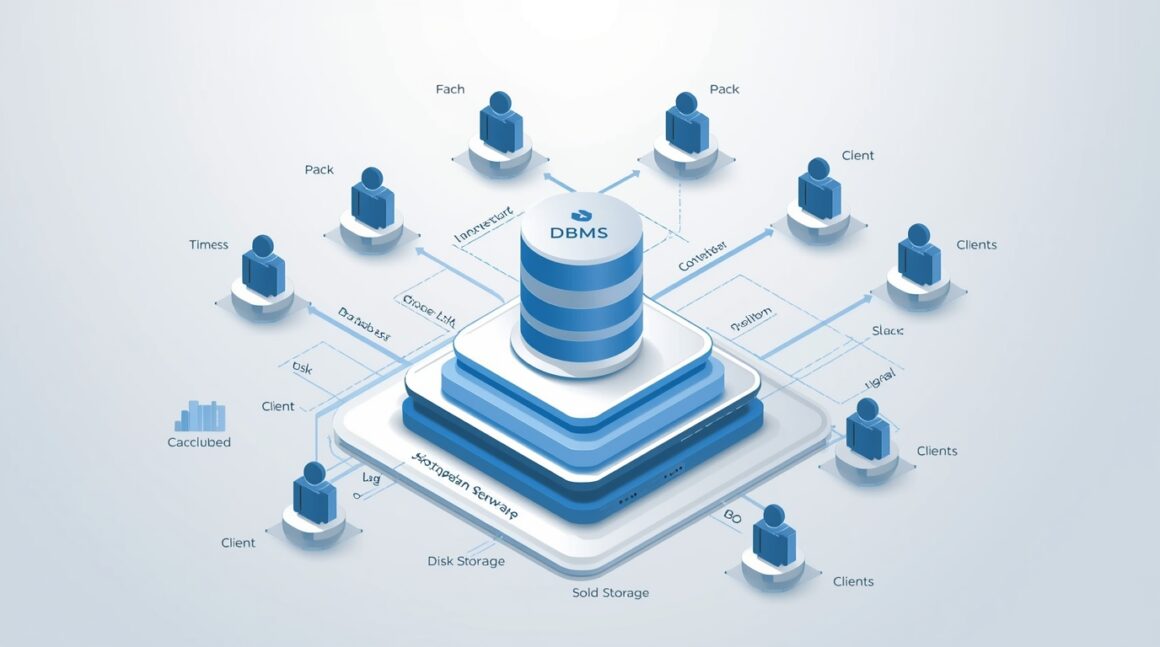
This article provides a beginner-friendly yet comprehensive overview of Database Management Systems (DBMS) — the backbone of modern data handling. It explains the core concepts, types, and real-world examples of DBMS, highlighting how data is efficiently stored, retrieved, and secured in digital systems. Covering relational, NoSQL, hierarchical, and multi-model databases, this guide helps readers understand the architecture, key principles, and use cases that define today’s data-driven world. Ideal for students, developers, and professionals beginning their database journey.
Introduction
A Database Management System (DBMS) is a software framework that enables efficient storage, organization, retrieval, and management of data in a structured manner. It serves as an intermediary between users or applications and the physical data stored on hardware, ensuring data integrity, consistency, and security. By allowing multiple users to access and manipulate data simultaneously, a DBMS eliminates problems like redundancy, inconsistency, and unauthorized access that are common in traditional file-based systems. From handling vast enterprise databases to powering small-scale applications, DBMS technology forms the backbone of modern information systems—supporting decision-making, analytics, and automation across industries.
What Is a Database Management System?
A Database Management System (DBMS) is software that enables you to create, maintain, and use databases efficiently. It provides tools for storing, retrieving, updating and managing data in a structured way.
Why DBMS matters?
Without a DBMS, applications would rely on simple file systems or bespoke data stores that come with limitations: redundant data, difficulty in sharing data, inconsistency, poor concurrency control, weak security. A DBMS addresses those issues by offering a trusted, scalable, manageable layer between applications and data storage.
“A DBMS is software that allows users to define, create, maintain and control access to the database. “
It acts as an interface between users/applications and the underlying storage, ensuring integrity, concurrency, security and performance.
Key use-cases
- Web-applications storing user profiles, orders, logs
- Enterprise systems managing transactions, financial data
- Analytical platforms aggregating large volumes of data
- Real-time systems requiring high speed and scale
Core Concepts of DBMS
To be comfortable with DBMS you’ll need a grasp of several foundational concepts. Let’s break them down in digestible form.
Data Abstraction & Independence
Data abstraction means hiding the complex internal details of data storage (how data is physically stored) from users, while presenting logical views that matter. There are typically three levels:
- Internal (physical) level: how data is stored (file systems, indexes, storage structures)
- Conceptual level: what data is stored, relationships among data
- External (view) level: how particular users/applications see the data
Data independence ensures changes at one level (say physical storage) don’t affect the other levels (application-level views). This separation is a hallmark of mature DBMS systems.
Data Models, Schemas & Schemas Design
A data model defines how data is organized: relational, hierarchical, network, document, graph etc.
A schema is the blueprint/structure for a database: tables, fields (columns), relationships, constraints. Good design matters. For instance, schema design influences performance, maintainability and scalability.
Query Languages & Data Manipulation
One of the central features of DBMS is the ability for users/applications to query and manipulate data. In relational systems the language is typically SQL (Structured Query Language). Data manipulation covers the typical CRUD operations (Create, Read, Update, Delete). The DBMS orchestrates these in a controlled, consistent way.
Keys, Relationships & Normalization
In relational DBMS:
- A primary key uniquely identifies each row in a table
- A foreign key links tables together, establishing relationships
Properly defined keys ensure integrity and reduce redundancy.
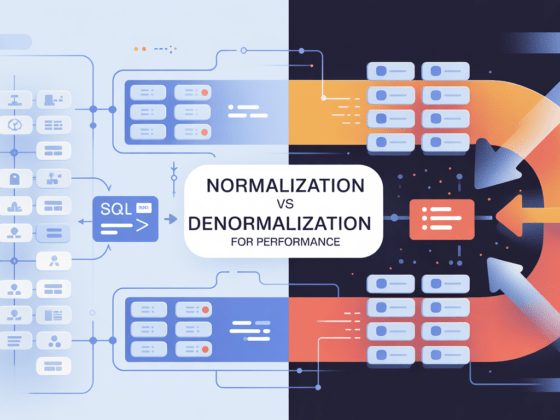
Normalization is the process of organizing tables to reduce data duplication (redundancy) and improve data integrity. Eg: 1NF, 2NF, 3NF etc. A good schema design avoids anomalies (insert/update/delete) and supports maintainability.
Transactions & ACID Properties
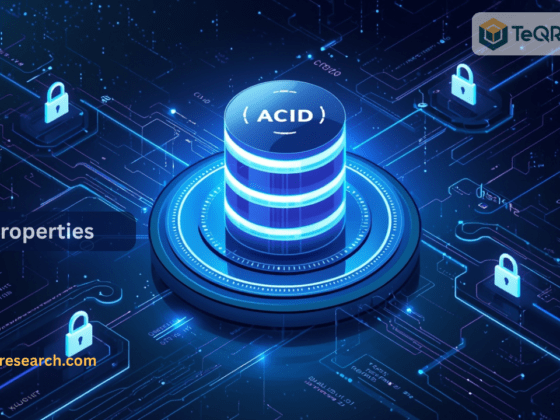
Transactions are sequences of operations (for example, debit from account A, credit to account B). The DBMS ensures such operations behave reliably via ACID properties:
- Atomicity: all or nothing
- Consistency: database remains in a valid state before and after
- Isolation: concurrent operations don’t interfere improperly
- Durability: once committed, changes persist even if system fails
These properties are critical for applications where correctness matters (banking, finance, inventory etc).
Indexing, Storage Organisation & Performance
As data volumes grow, DBMS must store and retrieve data efficiently. That involves indexing (to speed lookup), appropriate file/partition organisation, caching, memory-management, query optimisation. Poor design here leads to slow queries, bottlenecks and scalability problems.
Security, Concurrency & Recovery
A robust DBMS supports:
- User authentication and access control (who can see/change what)
- Concurrency control (many users/apps accessing data simultaneously)
- Backup and recovery mechanisms (restore data after failure)
These operational aspects are often overlooked at first but become critical as systems scale.
Types of Database Management Systems
Not all DBMS are the same. Choosing the right type depends on your application’s data model, scale, structure and requirements. Here are the main categories.
Relational DBMS (RDBMS)
Definition: Data is stored in structured tables (rows and columns) and relationships are defined via keys. Typically consistent with the relational model.
Strengths: Mature technology, ACID compliance, strong data integrity, SQL support, rich ecosystem.
When to use: Transactional systems, enterprise applications, structured data with clear relationships (e.g., banking, ERP).
Examples: MySQL, PostgreSQL, Oracle Database.
NoSQL DBMS
Definition: “Not only SQL” – covers several data models (document, key-value, wide-column, graph) designed for flexible schema and horizontal scalability.
Sub-types:
- Key-Value Stores: simple key-value pairs
- Document Stores: JSON-like documents
- Wide-Column Stores: tables with flexible columns, more scalable horizontally
- Graph Databases: nodes and edges, for heavy relationship workloads
When to use: Big data, semi/unstructured data, high scale / high throughput, flexible schema (e.g., social networks, IoT, real-time analytics).
Examples: MongoDB (document), Apache Cassandra (wide-column)
Hierarchical & Network Models
These represent older styles of DBMS:
- Hierarchical: tree-like parent/child architecture
- Network: more flexible than hierarchical, supports many-to-many relationships
While mostly legacy, they still exist in some systems.
Multi-Model Databases
Definition: DBMS that support multiple data models (e.g., relational + document + graph) within a single engine. Offers flexibility and reduces need for multiple systems.
When to use: Modern architectures where varied data types exist, needing one unified platform.
| DBMS Type | Data Model | Key Strengths | Typical Use-Case |
| RDBMS | Tables (rows/columns), relations | Mature, ACID, strong constraints | Transactional apps, enterprise systems |
| NoSQL | Key-Value, Document, Wide-Column, Graph | Schema flexibility, horizontal scale | Big data, unstructured data, real-time |
| Hierarchical/Network | Tree or graph like models | Simpler in some legacy domains | Legacy systems, certain mainframe usage |
| Multi-Model | Mixed data models | Unified platform, flexibility | Modern apps with varied data workflows |
Examples of DBMS in Real-World Use
To anchor the concepts, here are a few examples of well-known DBMS and their typical contexts.
MySQL: MySQL is an open-source relational database management system. It is widely used for web applications, content management systems, and general purpose relational data stores.
PostgreSQL: PostgreSQL is an advanced open-source RDBMS that offers rich features (geospatial support, JSON capabilities) beyond the basic relational feature set.
MongoDB: A document-store NoSQL DBMS, MongoDB stores JSON-like documents, supports dynamic schemas, and scales horizontally for large workloads.
Apache Cassandra: A wide-column NoSQL DBMS built for massive scale, distributed deployment and fault tolerance.
Use case illustrations
- E-commerce websites: use relational DBMS for orders/customers + may use NoSQL for product catalog, user sessions, logging.
- Real-time analytics systems: may rely on NoSQL for high throughput ingestion and a relational system for aggregation.
- Social networks or recommendation engines: graph DBMS shines when relationships are central.
How to Choose the Right DBMS for Your Project
Selecting the correct DBMS is a pivotal decision. Here is a practical checklist and thought-process to guide you.
1. Understand your data model & schema requirements
- Is your data highly structured with fixed schema (e.g., financial transactions)? → consider RDBMS
- Is your data semi-structured (JSON documents), flexible schema or evolving rapidly? → NoSQL or multi-model might fit
- Are relationships complex and central to your workload (e.g., social graphs)? → graph DBMS
2. Scalability, performance & concurrency
- Do you need horizontal scaling (adding more machines to handle load)? NoSQL often excels.
- Do you need strong consistency, or can you tolerate eventual consistency? RDBMS tends toward strong consistency; many NoSQL systems offer weaker consistency in favor of scale.
- What’s your read/write ratio? What are latency requirements?
3. Transactional Guarantees & Integrity
- If your system demands ACID compliance (e.g., banking, accounting) then traditional RDBMS are well-suited.
- For systems where availability and partition tolerance are more critical than consistency (e.g., large global scale systems) you may lean toward NoSQL.
4. Ecosystem, community, cost & support
- What skills do your team have? SQL skills are widespread; NoSQL skill sets might be less standard.
- Are you open-source or commercial license? What is your budget for licence, support?
- Are there tooling, monitoring, ecosystem maturity you require?
5. Future flexibility & data evolution
- Anticipate new data types (geospatial, time series, vector embeddings, graph)?
- Would a multi-model DBMS help future-proof your architecture?
- How much schema evolution do you anticipate?
6. Operational/Deployment Context
- Cloud or on-premises? Some DBMS systems are optimized for cloud native auto-scaling.
- Data locality/regional compliance (GDPR, data sovereignty) may influence your choice.
- Backup, disaster recovery, multi-region replication: can your chosen DBMS handle your needs?
7. Prototype & validate
Before committing, build small prototypes:
- Load representative data
- Test queries you expect to run in production
- Measure latency, concurrency, failover behaviour
- Evaluate operational burden (maintenance, administration)
Best Practices, Pitfalls & Tips for Beginners
Embarking on DBMS for the first time? Here are practical tips to help you succeed and avoid common mistakes.
Best Practices
- Start with clear data modelling: Understand your entities, relationships, schema design before building out large systems.
- Normalize appropriately, then selectively denormalize for performance where needed.
- Use indexing wisely: Over-indexing hurts writes; under-indexing hurts reads.
- Plan for growth: Data volumes often grow faster than anticipated; design partitioning, sharding, archiving policies early.
- Ensure backup & recovery, test your restore procedures (disaster recovery isn’t optional).
- Apply security measures: Role-based access control, encryption at rest/in transit, audit logs.
- Monitor continuously: Query performance, slow logs, usage patterns, resource metrics.
- Document your schema and architecture: Useful for team collaboration, future changes, onboarding.
- Avoid over-engineering early: Begin with what you need now; evolve as requirements grow.
Common Pitfalls to Avoid
- Choosing a DBMS purely because it’s “trendy” rather than a good model fit.
- Ignoring the cost of operations (maintenance, backups, monitoring).
- Neglecting schema design until too late: leads to messy, hard-to‐maintain databases.
- Over-normalization for performance critical systems without evaluating trade-offs.
- Ignoring concurrency and transaction issues in multi-user environments.
- Leaving out disaster recovery/testing: You will need it one day.
Challenges & Emerging Trends in DBMS
The database landscape is evolving rapidly. Let’s look at what’s new and what challenges lie ahead.
Key Challenges
- Data volume explosion: Big data, streaming data, IoT – systems must handle massive scale.
- Latency & real-time requirements: Users expect instant response; batch systems often don’t cut it.
- Mixed data types: Structured, semi-structured, unstructured, graph – managing all in one ecosystem.
- Consistency vs availability trade-offs (see CAP theorem).
- Security, privacy and regulatory compliance (GDPR, CCPA etc).
- Operational complexity: Distributed systems, replication, sharding, multi-region deployments add complexity.
Emerging Trends
- Multi-model databases – unified handling of relational, document, graph data in one engine.
- Cloud-native DBMS – designed for elastic scalability, serverless, pay-as-you-go models.
- Vector databases and AI integration – storing embeddings, similarity search, supporting AI workflows.
- In-memory/real-time databases – for ultra-low latency queries and analytics.
- Autonomous database management – more automated tuning, scaling, self-healing systems.
- Schema-less or flexible-schema architectures – accommodating evolving data without major redesign.
Conclusion
In a data-centric world, understanding Database Management Systems is no longer optional — it’s essential. DBMS technology enables organizations to store, manage, and analyze massive volumes of data securely and efficiently. From traditional relational systems to flexible NoSQL and next-generation multi-model databases, each type offers unique advantages. For beginners, the key is to start with the foundations of relational databases and SQL, then gradually explore advanced models like document, graph, and cloud-native systems. Whether you’re building a small app or architecting enterprise-scale infrastructure, mastering DBMS concepts ensures your data remains organized, consistent, and accessible — the cornerstone of intelligent decision-making in the digital era.
FAQs
What is a Database Management System (DBMS)?
A Database Management System (DBMS) is software that stores, organizes, and manages data in a structured way. It allows users and applications to create, retrieve, update, and secure data efficiently without dealing with the complexities of raw file systems.
What are the main types of DBMS?
The four major types of DBMS are:
- Relational DBMS (RDBMS): Data in tables with rows and columns (e.g., MySQL, PostgreSQL)
- NoSQL DBMS: For unstructured or semi-structured data (e.g., MongoDB, Cassandra)
- Hierarchical DBMS: Data stored in a tree-like structure
- Network DBMS: Data linked via multiple relationships
What are some examples of popular DBMS?
Commonly used DBMS examples include:
- MySQL – Open-source RDBMS used in web applications
- PostgreSQL – Advanced relational database with JSON and GIS support
- MongoDB – Document-oriented NoSQL system
- Oracle Database – Enterprise-level relational database
- Cassandra – Distributed NoSQL database for scalability and fault tolerance
Why is DBMS important in modern computing?
DBMS systems ensure data consistency, security, and accessibility across multiple applications and users. They reduce data redundancy, support concurrent access, manage large datasets, and form the foundation for analytics, AI, and decision-making in organizations.
What is the difference between DBMS and RDBMS?
While DBMS refers broadly to any system that manages data, RDBMS (Relational Database Management System) specifically organizes data in tables with relationships defined by keys. RDBMS also supports SQL, ACID transactions, and data normalization, making it ideal for structured and transactional workloads.